Free Online CAD Editor
Open and edit DXF drawings in your browser, with a command line, layers, object snaps and dimensions. This is an open-source alternative to AutoCAD that runs on your device: free, no sign-up, and your files are not uploaded.
Prefer an installed app? Download the free desktop app
- Open your browser developer tools and switch to the Network tab
- Open a file in the editor
- Your file never appears as an upload request
Best on a desktop browser. This editor has desktop menus and shortcuts.
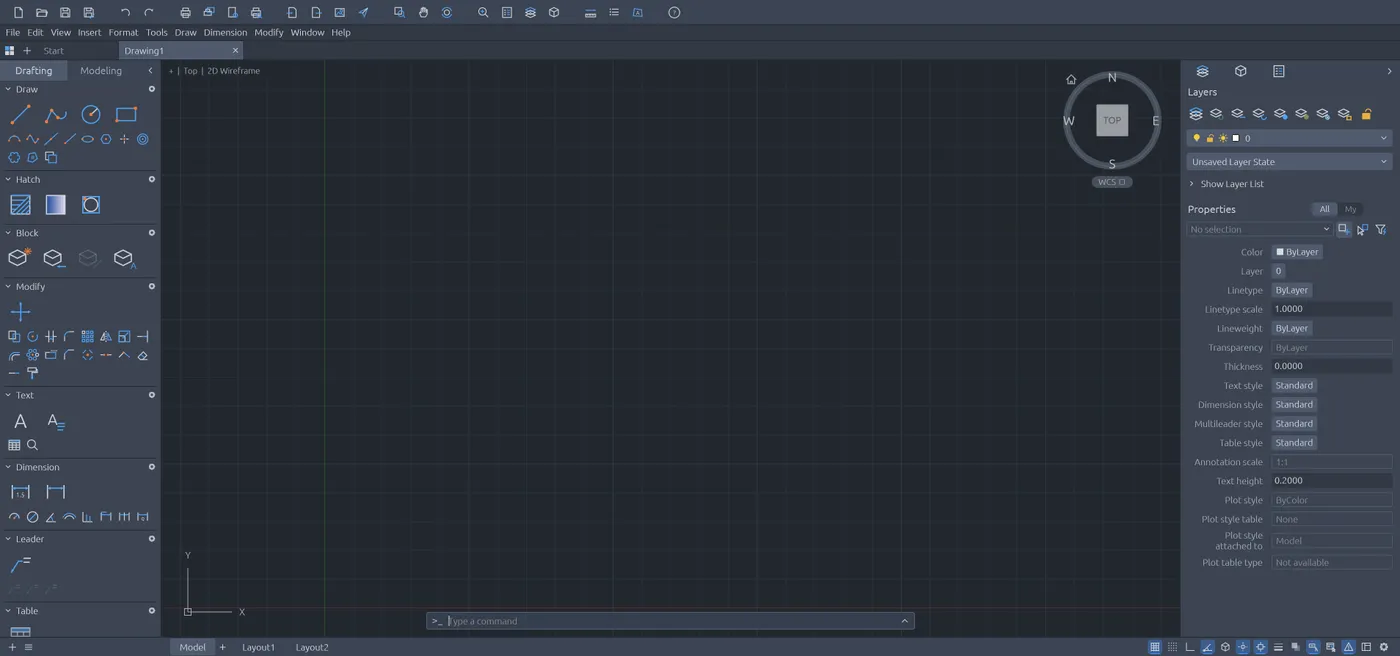
Engine start screen, captured 2026-10-12
Formats it opens
What the engine's own documentation lists. Our own tests are in the compatibility table below.
| Format | Listed by the engine | Tested by us |
|---|---|---|
| .dxf | DXF read (R12 to 2018, ASCII and binary) and write (R2000) | Not tested yet |
| .dwg | DWG read and write (R2000) | Not tested yet |
What you can do
- Draw lines, polylines, circles, arcs, splines, hatches and text
- Move, copy, trim, extend, fillet and offset
- Work with layers, blocks and object snaps
- Add dimensions, leaders and tables
- Lay out paper space and plot to PDF
- Export to SVG, PNG or DXF
Compatibility
| Check | Result | Notes |
|---|---|---|
| Editor starts | Works | The complete interface loaded |
| Draw a line | Works | Two clicks with the Line tool drew a line, and the command line echoed Command: LINE |
| Open a .dxf file | Not tested yet | We have not run an open test for this format yet |
| Save as .dxf | Not tested yet | We have not run an open test for this format yet |
| Phone screen (390 px wide) | Partial | The toolbar shows, but the drawing area is pushed out |
Known issues
- Entities the editor does not model yet are not kept when you save. Compare a saved DXF with the original before you rely on it.
- The editor is built for a desktop keyboard and mouse. It is cramped on a phone.
- There is no autosave. Save downloads a file, so save before you close the tab.
When to keep the original software
Keep using the desktop CAD software for drawings that must keep every entity, custom objects or plug-ins, or when a client requires its exact DWG version.
FAQ
Can it open a DXF file?
Can it open DWG?
Are my drawings uploaded?
Does it have a command line?
Runs the open-source CADCraft engine v0.5.0 (14.4 MiB) · MIT / Apache-2.0 · Last tested 2026-10-12 · source · license