Open .dxf files online
To open a .dxf drawing in your browser, press Open editor on the CAD editor, click the open-folder icon in the toolbar and pick your file. On 2026-11-03 we opened a 2D drawing in CADCraft 0.14.0 on anyedit.app. It held 15 entities of 11 types (lines, a closed polyline, a circle, an arc, an ellipse, a spline, text, multiline text, a solid hatch, two block inserts and a linear dimension) on six layers. All of them drew, and the layer list showed our layer names. We added a line from the command line and chose File > Save As, which downloaded a .dxf at once. The ezdxf library read it with no audit errors: 16 entities, the same types on the same layers, and the same geometry, text strings, block and hatch. One difference: the file was written as DXF 2018 (AC1032), while the engine notes list DXF 2000 for writing. The spline came back with control points added. Text on a blue layer is hard to read on the dark canvas. DWG files are refused in the web build, which says to save as DXF. 3D solids, external references, images and large drawings are Not tested yet. Nothing is uploaded; the file is read in your browser.
Best on a desktop browser. This editor has desktop menus and shortcuts.
Can I open it?
| Check | Result | Notes |
|---|---|---|
| Listed by the engine | Listed in docs | DXF read (R12 to 2018, ASCII and binary) and write (R2000). Entities the editor does not model yet are not kept on save. |
| Opened a .dxf | Works | Toolbar open icon, then the file chooser, with anyedit-sample-plan.dxf (made with ezdxf as R2010, 40.3 KB). All 15 entities drew: four lines, a circle, an arc, an ellipse, a closed polyline, a spline, text, multiline text, a solid hatch, two inserts of one block and a linear dimension. |
| Layers | Works | The Layers panel listed 0, Defpoints, WALLS, ROUND and NOTES in its first rows, and the layer colours were applied (red walls, green round shapes). |
| Text on a dark canvas | Partial | The NOTES layer is blue (colour 5), which is nearly invisible on the dark background. |
| Edited the drawing | Works | We typed LINE, 110,0 and then 150,40 on the command line. The second point was taken as relative, so the new line ended at 260,40, on layer 0. |
| Saved with File > Save As | Works | Downloaded anyedit-sample-plan.dxf, 49.0 KB, with no dialog. ezdxf read it with no audit errors: 16 entities (our 15 plus the new line), the same types and layers, circle radius 15, arc 25 from 0 to 90 degrees, ellipse ratio 0.5, both text strings, the hatch, both inserts and the dimension unchanged. |
| DXF version written | Partial | The saved file is DXF 2018 (AC1032); the engine notes list DXF 2000 for writing. The spline gained 5 control points next to its 5 fit points. |
| 3D solids, external references, images, older DXF versions, large drawings | Not tested yet | Not tested yet. Our file was a small 2D drawing and we did not open the saved file in AutoCAD. |
| Phone screen (390 px wide) | Not tested yet | Not tested for this format. |
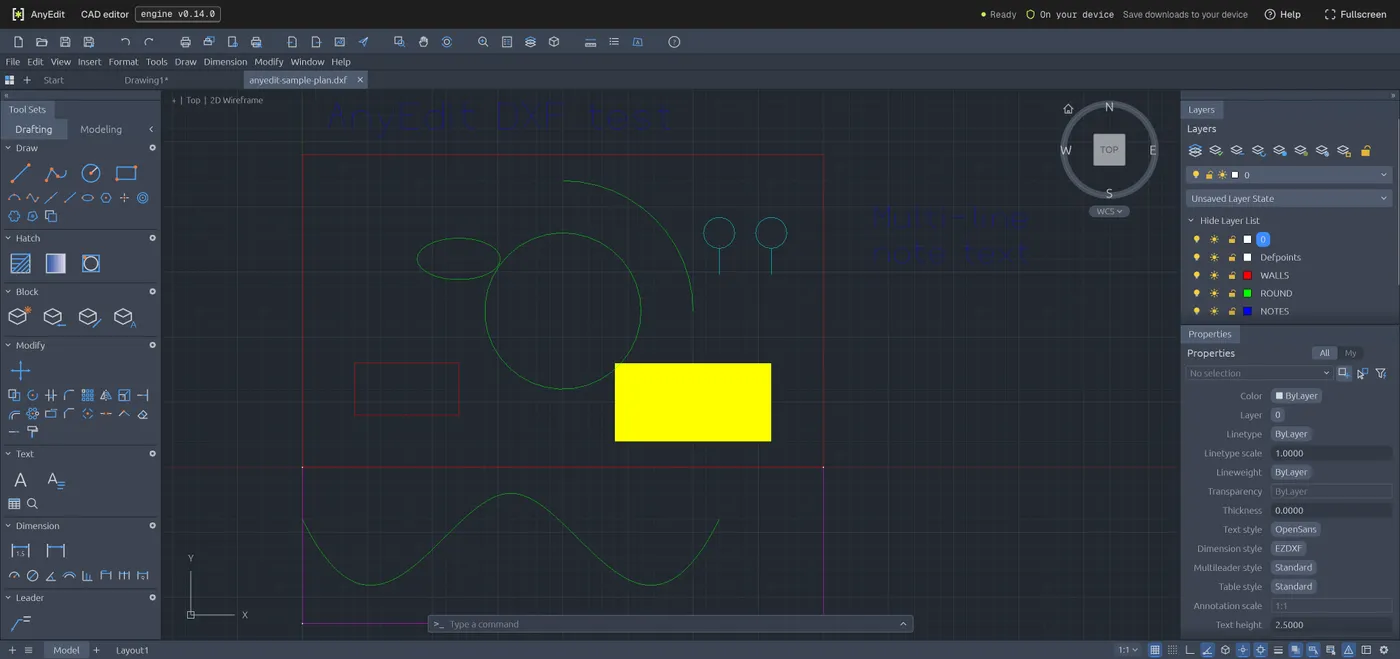
Our test file open in the cad editor on anyedit.app, 2026-11-03