Open .pptx files online
To open a .pptx file in your browser, press Open editor on the slides editor, then click the home icon at the top left, choose Open and pick your file. On 2026-10-13 we opened a 3-slide test deck (a title slide, bullet points with a red square, and a picture) on anyedit.app and all text, the shape color and the picture showed up. We changed the title text, exported the deck as .pptx, and the exported file was a valid PowerPoint file that kept the edit and opened again in the editor. One thing to know: Save and Save As in this editor write its own .deckcraft file, so use Export for .pptx. Nothing is uploaded and there is no sign-up.
Best on a desktop browser. This editor has desktop menus and shortcuts.
Can I open it?
| Check | Result | Notes |
|---|---|---|
| Listed by the engine | Listed in docs | The editor says it opens and saves PowerPoint .pptx files. It also exports PDF (slides, notes pages and handouts with selectable text), PNG and JPEG, and outlines. |
| Opened a .pptx file | Works | A 3-slide test deck made with python-pptx opened with all 3 slides. The title, subtitle, bullet list, a red square and a small picture were all shown correctly. |
| Edited it | Works | We changed the title on slide 1 from Quarterly Review to Annual Review. The slide and its thumbnail updated and the document showed as edited. |
| Exported as .pptx | Works | Export (found through the search box at the top right; this editor has no File menu) with PowerPoint Presentation gave a valid .pptx with 3 slides. Reading its XML showed the new title, the bullet text, the red fill and the picture. The editor opened the exported file again and showed the same slides. |
| Save (quick save) | Partial | The Save button and Save As gave a .deckcraft file (the editor's own format), not a .pptx. Use Export for .pptx. |
| Exported as PDF, PNG or JPEG | Not tested yet | Not tested for this format. |
| Phone screen (390 px wide) | Not tested yet | Not tested for this format. |
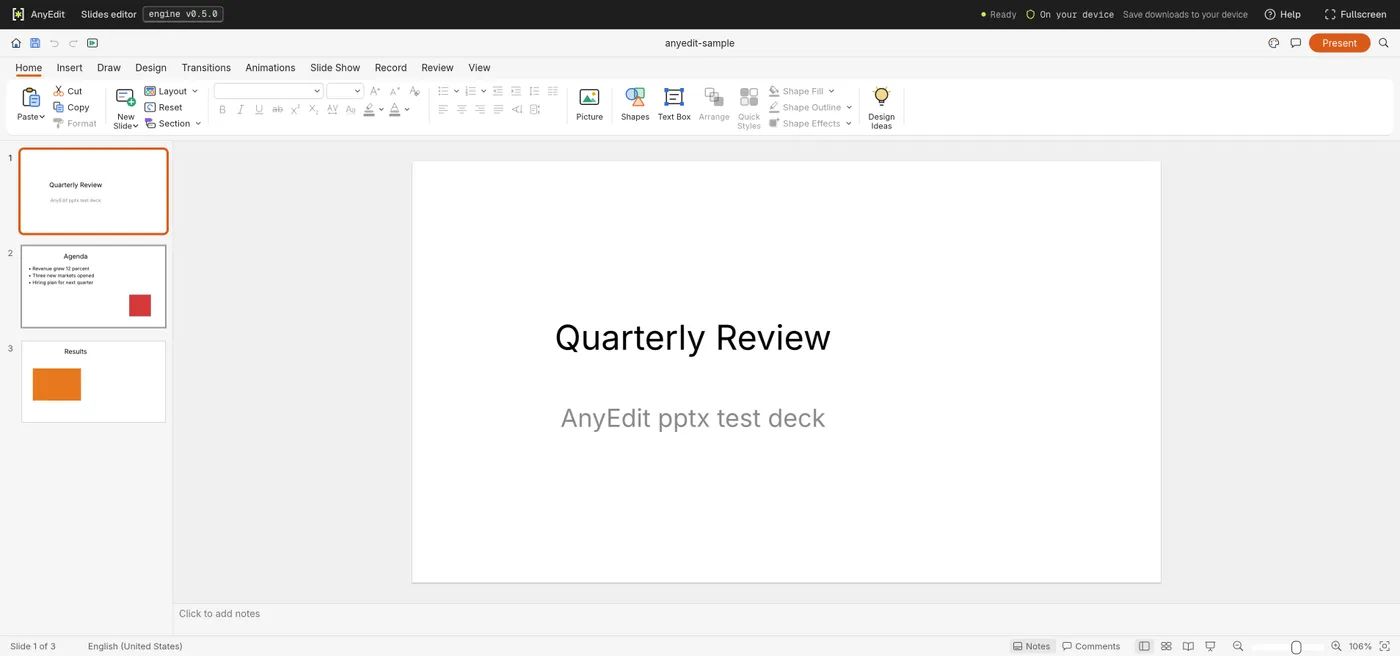
Our test file open in the slides editor on anyedit.app, 2026-10-13