Free Online Audio Editor
Record, edit and mix audio in your browser, with multitrack editing, a mixer, effects and MIDI. This is an open-source alternative to Pro Tools that runs on your device: free, no sign-up, and your files are not uploaded.
Prefer an installed app? Download the free desktop app
- Open your browser developer tools and switch to the Network tab
- Open a file in the editor
- Your file never appears as an upload request
Best on a desktop browser. This editor has desktop menus and shortcuts.
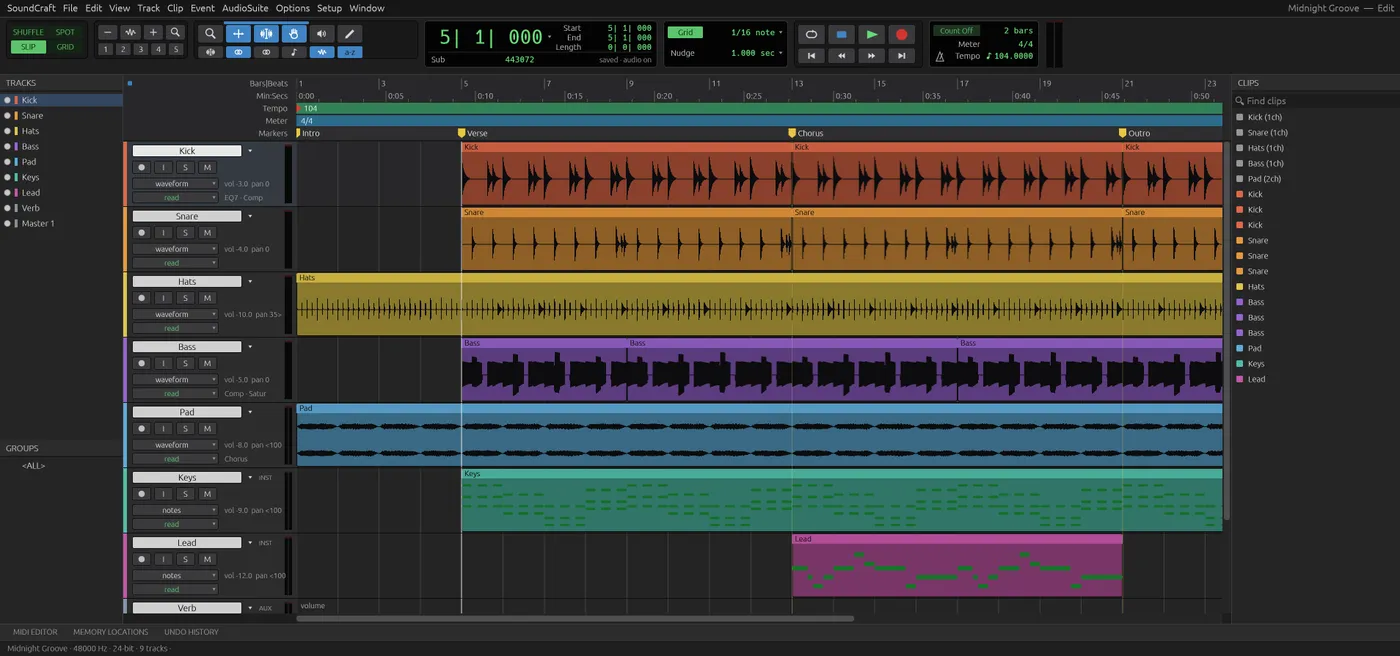
Engine start screen, captured 2026-10-12
Formats it opens
What the engine's own documentation lists. Our own tests are in the compatibility table below.
| Format | Listed by the engine | Tested by us |
|---|---|---|
| .wav | WAV, BWF and RF64 in and out | Not tested yet |
| .flac | FLAC in and out | Not tested yet |
| .aiff | AIFF and AIFC in and out | Not tested yet |
| .mp3 | MP3 import | Not tested yet |
| .ogg | Ogg Vorbis import | Not tested yet |
| .aac | AAC import | Not tested yet |
| .mid | Standard MIDI Files import and export | Not tested yet |
What you can do
- Edit waveforms across many tracks
- Mix with faders, buses, sends and effects
- Work with MIDI and built-in instruments
- Import WAV, AIFF, FLAC, MP3 and more
- Bounce a mix or stems to WAV, AIFF or FLAC
- Mix in stereo and surround
Compatibility
| Check | Result | Notes |
|---|---|---|
| Editor starts | Works | Loaded with WebGPU and a 9-track demo session |
| Play the demo session | Works | The playhead and counter moved, and the level meters showed signal |
| Import a .wav file | Not tested yet | We have not run an open test for this format yet |
| Bounce to a file | Not tested yet | We have not run an open test for this format yet |
| Phone screen (390 px wide) | Not supported | Only the track list shows |
Known issues
- Browsers block sound until you click something, so press play after you click in the page.
- The editor is built for a desktop keyboard and mouse. It is not usable on a phone.
- There is no autosave. Bounce and Save download a file, so save before you close the tab.
When to keep the original software
Keep using the desktop audio workstation for sessions with hardware interfaces, third-party plug-ins, or projects shared with a studio that uses a specific session format.
FAQ
Can it open a .wav file?
Can I record with a microphone?
Are my recordings uploaded?
Does it open Pro Tools sessions?
Runs the open-source SoundCraft engine v0.5.0 (11.8 MiB) · MIT / Apache-2.0 · Last tested 2026-10-12 · source · license