Open .mov files online
To open a .mov file in your browser, press Open editor on the video editor, then bring your file into the project from inside the editor. On 2026-10-13 we opened a 6-second 1280 x 720 test .mov (H.264 video with AAC sound) on anyedit.app and it showed in the source monitor with the right picture and a 6-second length. We cut the clip to 3 seconds in a new sequence and exported it with the QuickTime option. The exported .mov was a valid file with H.264 video and AAC sound, exactly 3 seconds long. Two things to know: the default export is an .mp4, so switch the Multiplexer setting to QuickTime to get a .mov, and our test browser cannot fill the system file picker, so we loaded the file by dropping it onto the editor window; we have not checked the Import button by hand. Nothing is uploaded and there is no sign-up.
Best on a desktop browser. This editor has desktop menus and shortcuts.
Can I open it?
| Check | Result | Notes |
|---|---|---|
| Listed by the engine | Listed in docs | The editor lists MP4 and MOV as supported for both import and export, including fragmented MP4, edit lists and timecode tracks. It also lists ProRes, H.264, HEVC and AAC. |
| Opened a .mov file | Works | A 6-second 1280 x 720 .mov (H.264 and AAC, made with ffmpeg) was added to the project and opened in the source monitor. It showed the test pattern, with the timecode running to 6:00. |
| Edited it | Works | We made a new sequence from the clip and cut it at 3 seconds, removing the second half. The sequence became 3:00 long. |
| Exported as .mov | Works | Export with H.264 and the QuickTime option gave a .mov file. ffprobe read it as a QuickTime movie with H.264 1280 x 720 video at 30 fps and AAC audio, 3.0 seconds long. A frame at 1 second matched the source frame. |
| Import button with a file chooser | Not tested yet | In our automated browser the Import button opened a file picker we could not fill, so we added the file by dropping it into the editor. Not checked by hand. |
| Exported as ProRes or other formats | Not tested yet | Not tested for this format. |
| Phone screen (390 px wide) | Not tested yet | Not tested for this format. |
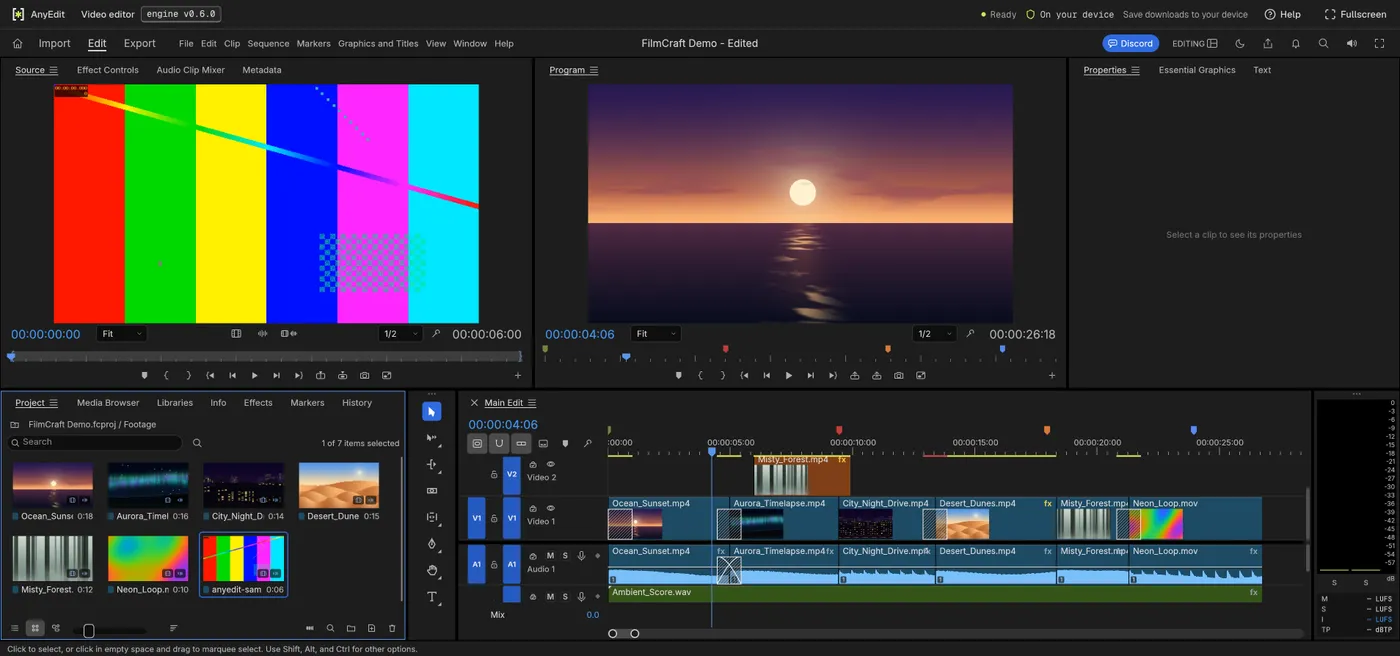
Our test file open in the video editor on anyedit.app, 2026-10-13