Open .eps files online
To open an .eps file in your browser, press Open editor on the vector editor, then choose File > Open and pick your file. On 2026-10-18 we opened two test EPS files there, one we wrote by hand and one made by the Barcode4J library (from the Apache FOP test files), and both drew with their shapes and digits. We resized a triangle in the first file and saved it as SVG and as PDF; both kept the edit and opened outside the editor. The big catch: the editor cannot write .eps. Export and Save As list SVG, PDF, PNG, JPEG, GIF, WebP and PDF-compatible .ai, but not EPS, so use SVG or PDF as the way out. Text drew in a fallback font in our test. Nothing is uploaded and there is no sign-up.
Best on a desktop browser. This editor has desktop menus and shortcuts.
Can I open it?
| Check | Result | Notes |
|---|---|---|
| Listed by the engine | Listed in docs | EPS is listed among the supported formats, next to SVG, PDF, PDF-compatible .ai, DXF and EMF/WMF. The README does not say whether EPS can be opened or saved. |
| Opened an .eps file | Works | File > Open with a 554-byte EPS we wrote by hand (a background, a blue triangle, a red ring, a yellow circle and a line of text). It opened as a one-artboard document, 300 x 200 pt, with every shape in the right place and color. The shapes were editable paths. |
| Opened an .eps made by another tool | Works | A 2 KB barcode EPS made by Barcode4J, taken from the Apache FOP test files (136 x 43 pt), opened with all the bars and the digits. We only opened this one; we did not edit or export it, and it is a simple file. |
| Text | Partial | The text showed with a pink highlight and the status bar said the font is not available here and shows in another font. In the SVG the font name Helvetica was kept; the PDF export noted that missing fonts were written in a fallback font. |
| Edited it | Works | We selected the triangle and changed its width from 240 pt to 160 pt in the Transform panel. The triangle narrowed on the canvas and the tab showed the file as changed. |
| Exported as SVG | Works | File > Export > Export As > SVG downloaded a 1 KB .svg. It is valid XML with a 300 x 200 viewBox, and the triangle now runs from x 70 to x 230 (the new width). Chrome drew it with the same shapes, colors and text. |
| Exported as PDF | Works | Export As > PDF downloaded a one-page PDF. The file command reads it as PDF 1.7, Ghostscript counts one page, and macOS sips drew it at 300 x 200 with the narrower triangle and the text. We did not open it in Acrobat or Illustrator. |
| Saved back as .eps | Not supported | Not possible. Export As lists SVG, SVG Compressed, PDF, PNG, JPEG, GIF and WebP, and Save As lists VectorCraft, VectorCraft Template, PDF, SVG, SVG Compressed and PDF-compatible .ai. There is no EPS in either list. |
| PNG and JPEG export, an Illustrator-made EPS, EPS with a bitmap preview, CMYK colors, big files | Not tested yet | Not tested for this format. |
| Phone screen (390 px wide) | Not tested yet | Not tested for this format. |
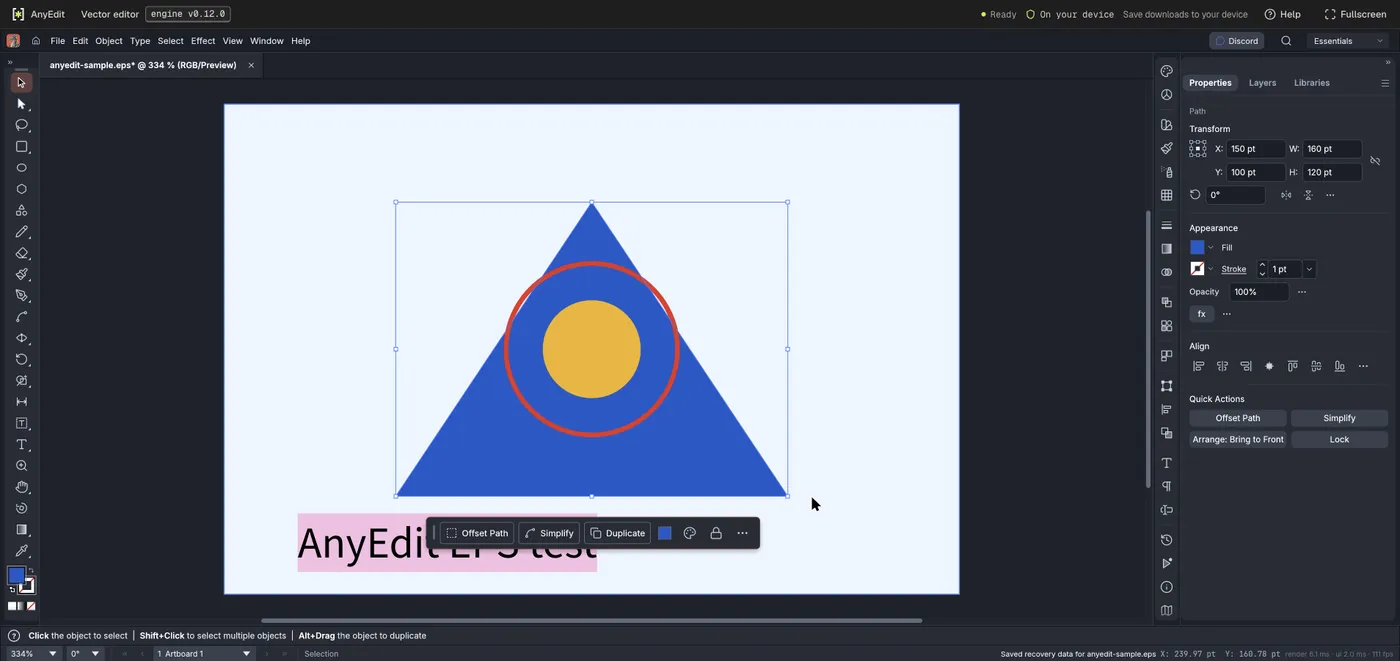
Our test file open in the vector editor on anyedit.app, 2026-10-18