Open .tsv files online
A .tsv file is plain text with tabs between the columns, so a text editor opens it, but a grid is easier to read. To see it as a sheet, press Open editor on the spreadsheet editor, choose File > Open > Browse and pick your .tsv file. On 2026-10-17 a 5-row test file with accented text, an em dash and a quoted cell that contains a tab opened as one sheet with every cell in the right column. We changed a number and saved. The Save As list offers Excel Workbook, CSV UTF-8, Web Page and PDF, with no TSV, and plain Save (Ctrl+S) gave an .xlsx. The CSV export held our edit with the accents intact. If you need a .tsv back, this editor does not write one in our test. Nothing is uploaded and there is no sign-up.
Best on a desktop browser. This editor has desktop menus and shortcuts.
Can I open it?
| Check | Result | Notes |
|---|---|---|
| Listed by the engine | Listed in docs | CSV and TSV are listed as readable and writable. Our test could not write a .tsv. |
| Opened a .tsv file | Works | File > Open > Browse with a hand-made 5-row .tsv (columns Item, Qty, Price and Note; the text "Café crème" and "naïve — résumé"; one quoted cell, "two" and "words" with a tab between them; a Total row). It opened as one sheet named anyedit-sample with all four columns in the right place. The numbers sat right-aligned, and the accents and the dash showed correctly. The quoted cell with the tab stayed in one cell. |
| Edited it | Works | We typed 7 over the Qty of Apples (was 3). The cell changed. We did not use formulas or the sort tools. |
| Exported as CSV | Works | File > Save As > CSV UTF-8 > Download downloaded anyedit-sample.csv. The file command reads it as CSV text. It uses commas and Windows line endings (CRLF), has no byte-order mark, and holds the edit (Apples,7,1.5,fresh), the UTF-8 accents and dash, and the quoted cell as a field with the tab kept inside it. Our automated browser could not drive the save dialog, so we turned it off and the editor fell back to a normal browser download; the save dialog was not checked by hand. |
| Saved back as .tsv | Not supported | Not possible in our test. The Save as type list has Excel Workbook (.xlsx), CSV UTF-8, Web Page (.html) and PDF, and Ctrl+S on the .tsv sheet downloaded anyedit-sample.xlsx. The editor's own documentation lists TSV as writable, so this may change in a later version. |
| Large files, other delimiters, Excel opening the CSV | Not tested yet | Not tested for this format. |
| Phone screen (390 px wide) | Not tested yet | Not tested for this format. |
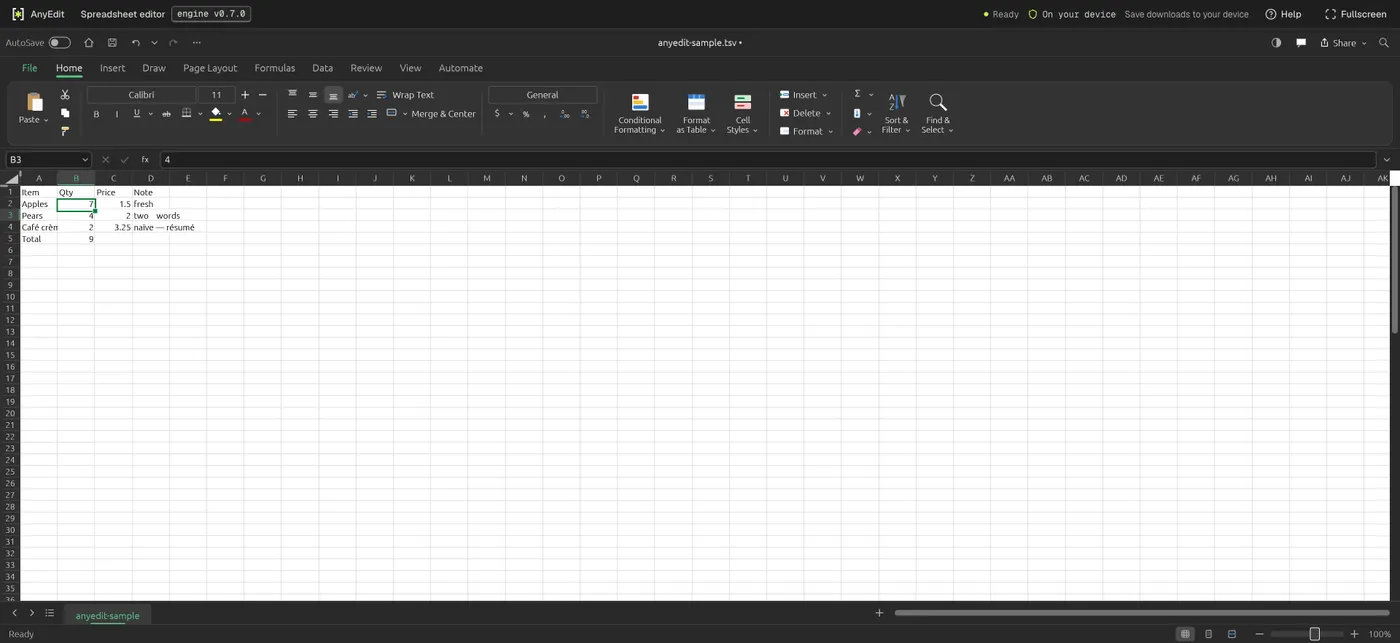
Our test file open in the spreadsheet editor on anyedit.app, 2026-10-17