Open .kra files online
A .kra file is a Krita painting that can keep layers, groups, masks and blend modes. To open one in your browser, press Open editor on the photo editor, then choose Open on the start screen or File > Open and pick your file. On 2026-11-03 we opened one Krita test file in PhotoCraft 0.17.0 on anyedit.app: krita-load_test.kra, 1.75 MB, 1000 x 753 px, from the public KDE Krita source repository. It opened as RGB 8-bit with its layers, three groups (one nested in another), blend modes such as Color Burn, Darken and Multiply, and a transparency mask on the top layer. One thing did not survive: the status bar said "Krita filter layers are not supported yet and were left out ("Invert")", so the picture can differ from what Krita shows. We painted a black stroke on the Background layer. File > Export > Quick Export as PNG then downloaded a 1000 x 753 PNG with the stroke, and the editor warned that 10 layers were flattened and layers, masks and blend modes are not kept. There is no KRA export in the File menu, so treat KRA as read-only here. We did not compare with Krita. Nothing is uploaded and there is no sign-up.
Best on a desktop browser. This editor has desktop menus and shortcuts.
Can I open it?
| Check | Result | Notes |
|---|---|---|
| Listed by the engine | Listed in docs | The photo editor README lists "Krita .kra (read, with paint layers, groups, blend modes and transparency masks)". Read means it opens KRA files; the README does not list KRA as a format it writes, and it does not mention filter layers. |
| Opened a layered KRA file | Works | krita-load_test.kra (KDE Krita test data, GPL-3.0, 1.75 MB, 1000 x 753 px) opened with Ctrl+O. The layers panel listed seven paint layers and three groups, with Group 2 nested in Group 1. |
| Blend modes and mask | Works | The top layer showed Color Burn with a transparency mask, Group 3 showed Darken and one layer inside it showed Multiply. |
| Filter layer | Not supported | The status bar said "Krita filter layers are not supported yet and were left out ("Invert")". The filter layer is dropped, so the picture can differ from Krita. |
| Painted on it | Works | We painted a black brush stroke on the Background layer and the title got a dot for unsaved changes. |
| Exported as PNG | Partial | File > Export > Quick Export as PNG downloaded krita-load_test.png (390 KB). The editor warned "10 layer(s) flattened; layers, masks and blend modes are not kept". The File menu has no KRA export. |
| Checked the exported PNG | Works | The file command reported a 1000 x 753 RGB 8-bit PNG. The stroke we painted was in it. |
| Compared with Krita | Not tested yet | Not tested yet. We had no Krita rendering of the full-size image, only a 128 x 128 preview inside the file, so exact colors and blend results are unchecked. |
| Animated, Manga-template and 16-bit KRA files | Not tested yet | Not tested yet. We opened one still-image file. |
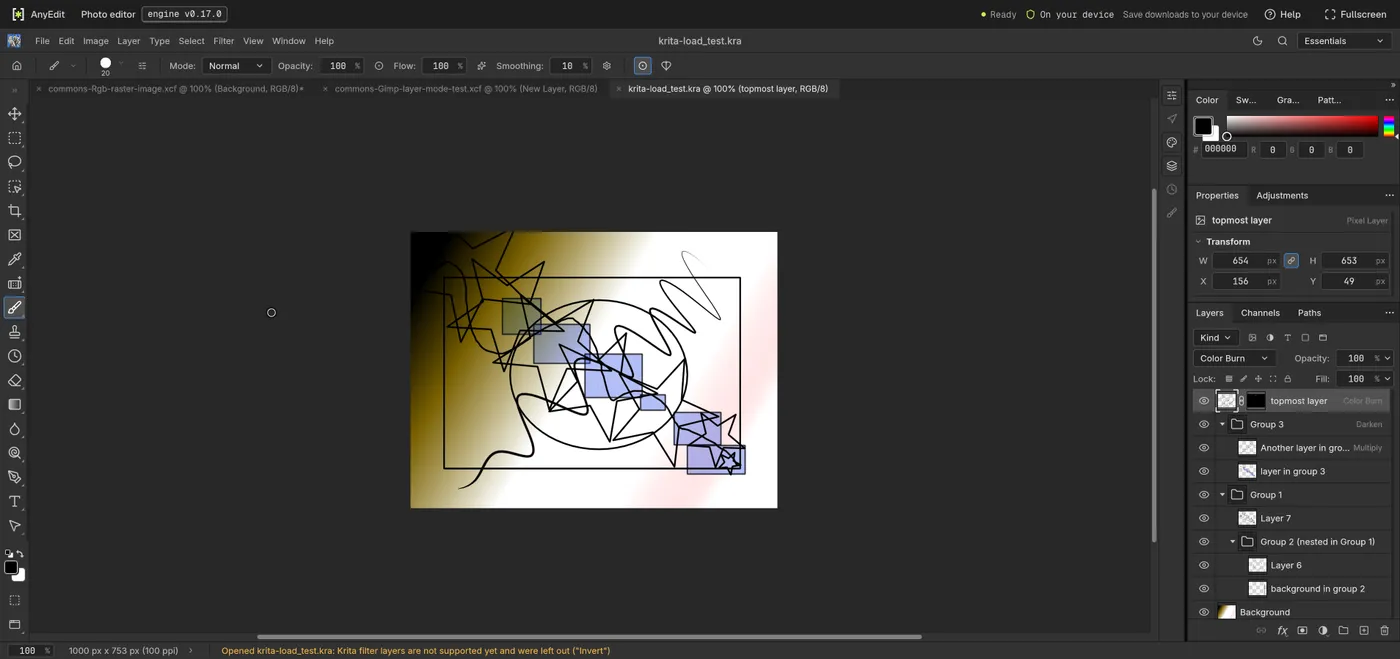
Our test file open in the photo editor on anyedit.app, 2026-11-03
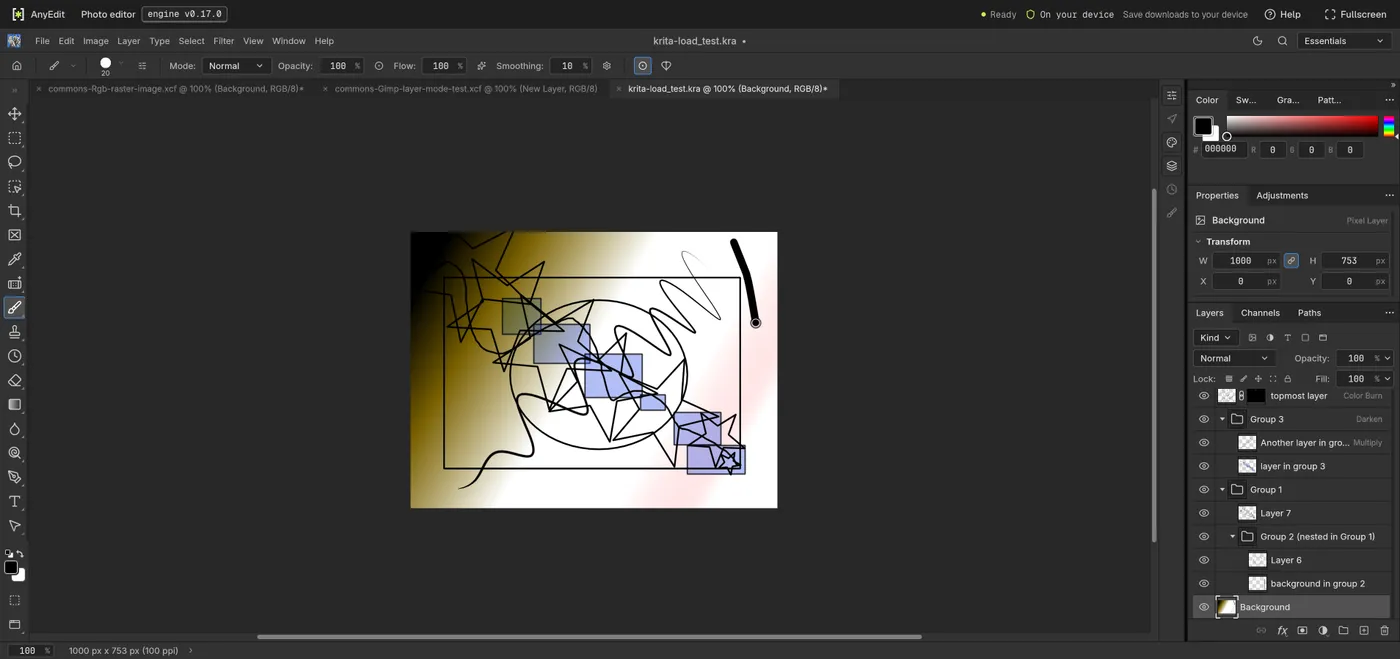
More from the same test, 2026-11-03
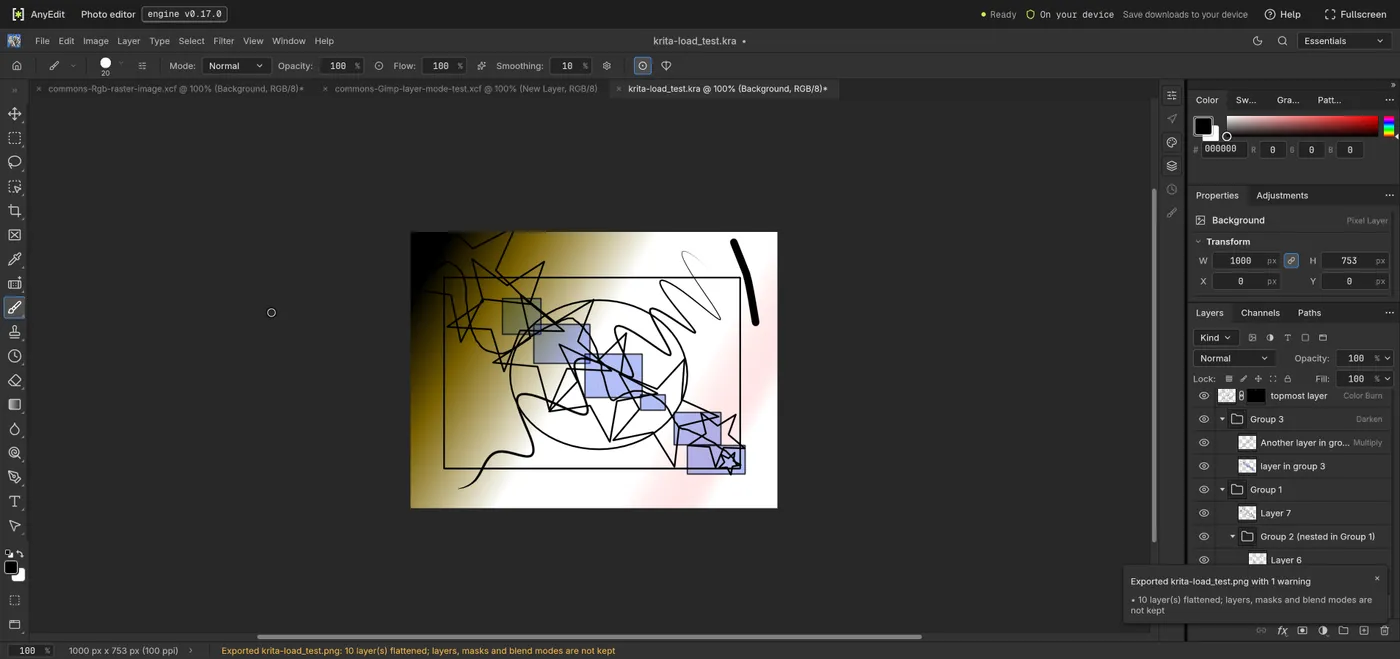
More from the same test, 2026-11-03