Open .xcf files online
An .xcf file is a GIMP image that can keep layers, groups, masks and blend modes. To open one in your browser, press Open editor on the photo editor, then choose Open on the start screen or File > Open and pick your file. On 2026-11-03 we tried three files from Wikimedia Commons in PhotoCraft 0.17.0 on anyedit.app. A 354 x 400 file with three layers opened with all three layers, and the layer we knew was hidden stayed hidden. An 800 x 600 file with two layers opened, and one layer showed the Luminosity blend mode; the status bar said it uses GIMP's HSV Value mode, which opens as Photoshop's Luminosity. A 2048 x 2048 multi-layer file did not open: the editor said "the layers exceed the 1 GiB pixel limit". We painted a black stroke on the Background layer of the first file and it worked. Quick Export as PNG downloaded a 354 x 400 PNG with transparency kept, and the editor warned that 3 layers were flattened and that layers, masks and blend modes are not kept. There is no XCF export, so this page is for looking at and editing XCF files, not for saving them back. We did not compare the result with GIMP, and we did not test the Export As dialog. Nothing is uploaded and there is no sign-up.
Best on a desktop browser. This editor has desktop menus and shortcuts.
Can I open it?
| Check | Result | Notes |
|---|---|---|
| Listed by the engine | Listed in docs | The photo editor README lists "GIMP XCF (read, with layers, groups, masks, blend modes, channels and the selection)". Read means it opens XCF files; the README does not list XCF as a format it writes. |
| Opened a 3-layer XCF | Works | commons-Rgb-raster-image.xcf (Wikimedia Commons, public domain, 73 KB, 354 x 400) opened from the start screen with three layers: Español, English and Background. The English layer, which is hidden in the file, stayed hidden. |
| Opened an XCF with a blend mode | Works | commons-Gimp-layer-mode-test.xcf (Wikimedia Commons, 2.7 MB, 800 x 600, 2 layers) opened. The New Layer showed Luminosity, and the status bar said it uses GIMP's HSV Value mode, which opens as Photoshop's Luminosity. |
| Opened a 2048 x 2048 multi-layer XCF | Not supported | commons-Hook-turn-layered.xcf (Wikimedia Commons, CC0, 1.4 MB, 2048 x 2048) was refused with "Couldn't open ...: XCF: the layers exceed the 1 GiB pixel limit". Large layered XCF files may not open. |
| Painted on it | Works | We painted a black brush stroke on the Background layer of the 3-layer file and it was drawn. |
| Exported as PNG | Partial | File > Export > Quick Export as PNG downloaded commons-Rgb-raster-image.png (24 KB). The editor showed "3 layer(s) flattened; layers, masks and blend modes are not kept". There is no XCF export. |
| Checked the exported PNG | Works | The file command reported a 354 x 400 RGBA 8-bit PNG. The black stroke covered 3,183 pixels, 25,226 pixels were fully transparent (transparency kept), and the pixel at (200, 100) was yellow (255, 250, 0). |
| Compared with GIMP | Not tested yet | Not tested yet. We had no GIMP rendering to compare against, so exact colors, blend modes and masks are unchecked. |
| Export As dialog | Not tested yet | Not tested yet. We only ran Quick Export as PNG, so we do not know what the Export As dialog offers for this file. |
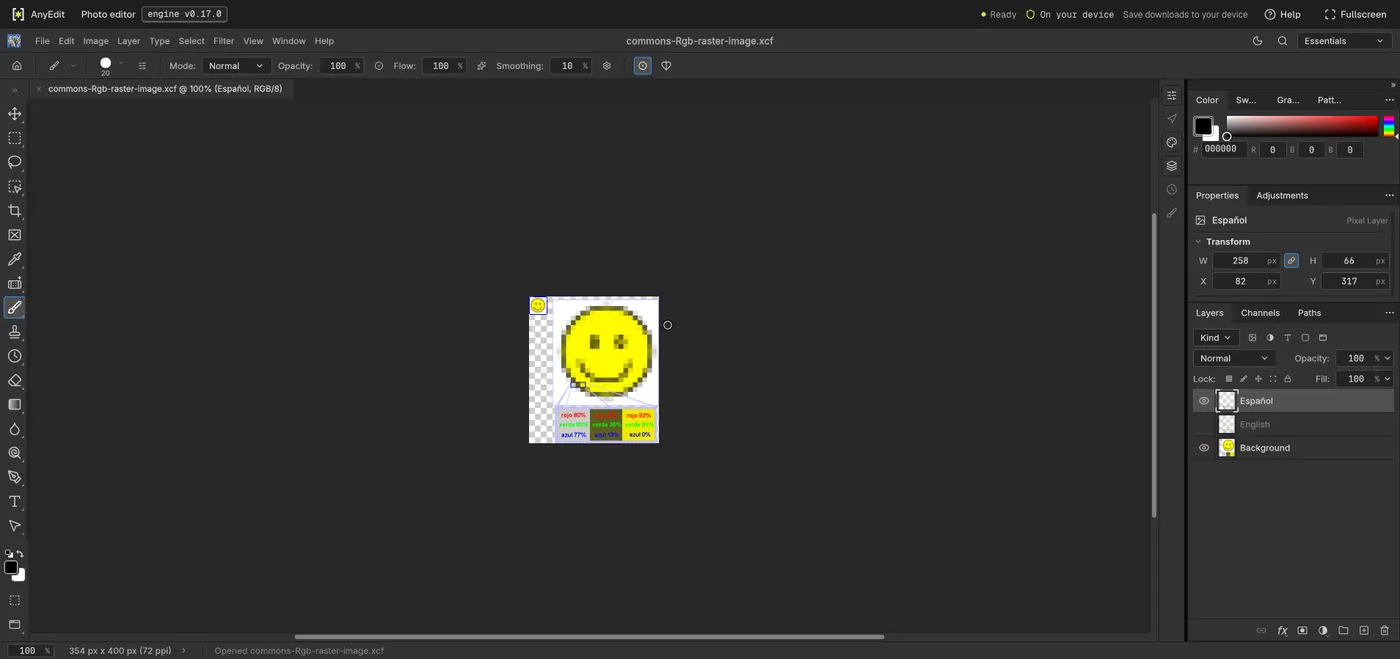
Our test file open in the photo editor on anyedit.app, 2026-11-03
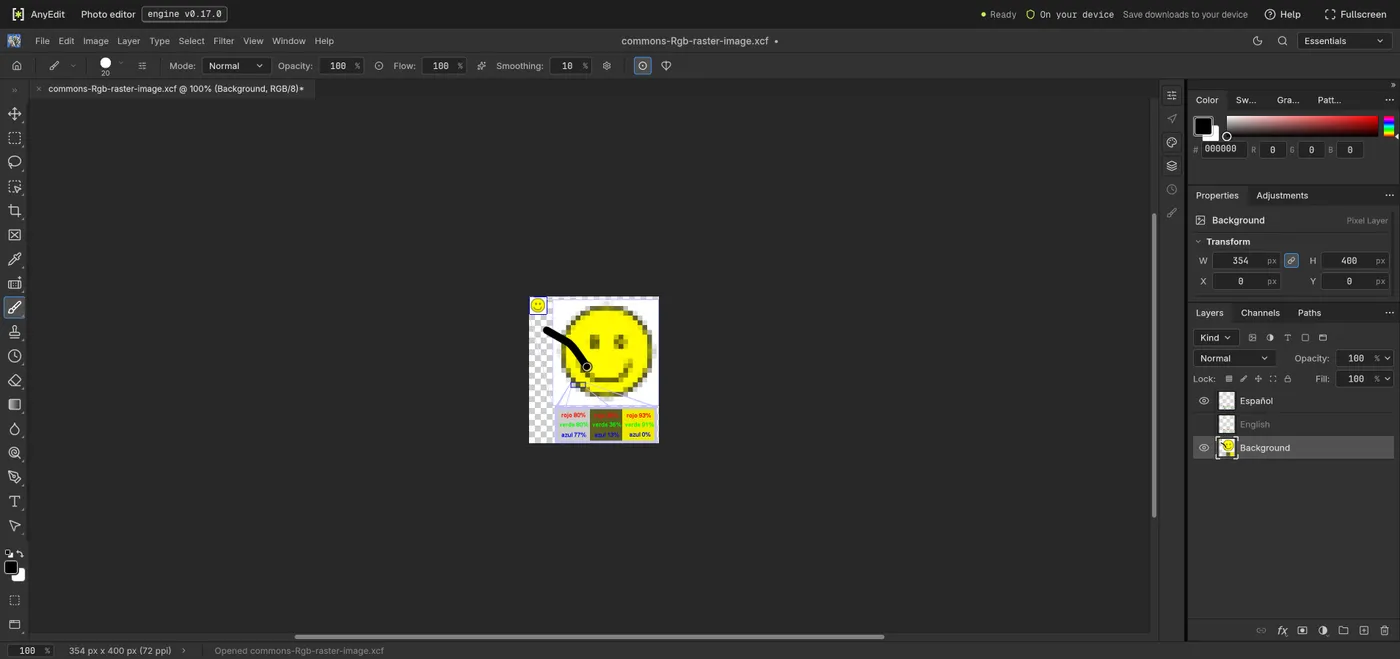
More from the same test, 2026-11-03
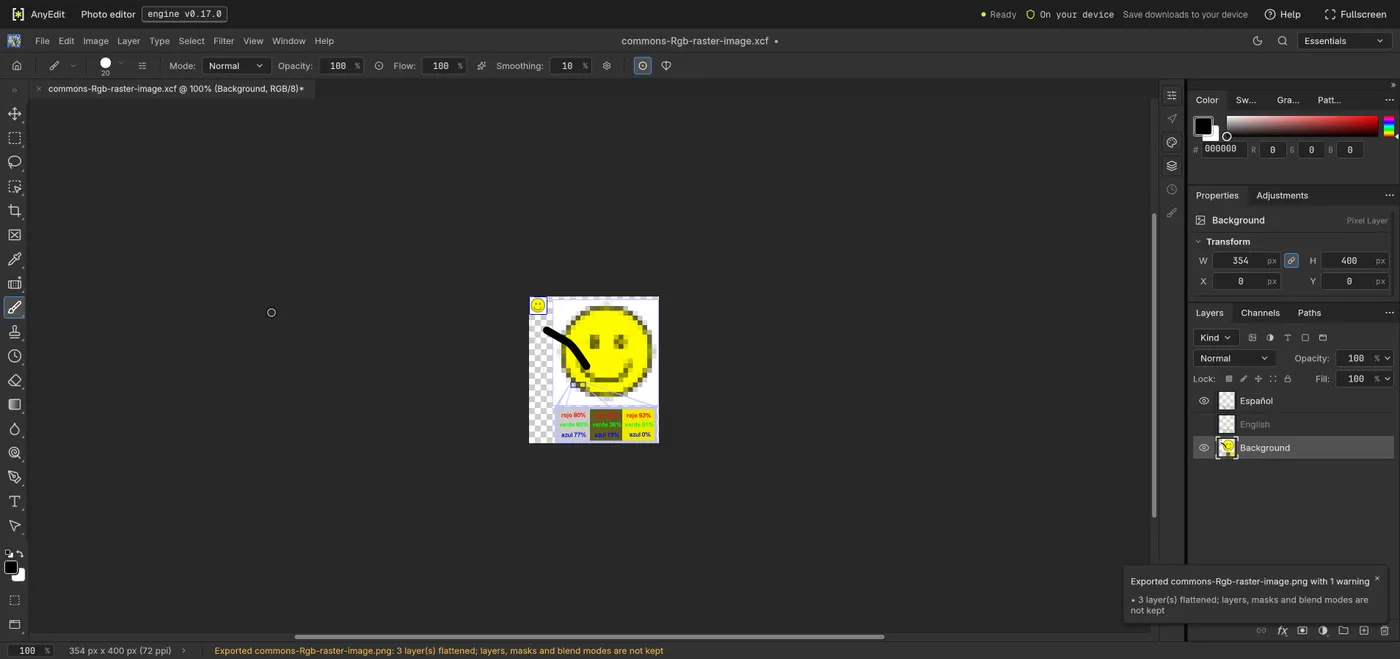
More from the same test, 2026-11-03