Open .xls files online
To open an .xls file in your browser, press Open editor on the spreadsheet editor, choose File > Open > Browse and pick your file. On 2026-11-03 we opened two Excel 97-2003 test workbooks from the Apache POI project in GridCraft 0.13.0 on anyedit.app. A dialog said what was read (values, formulas, number formats, merged cells, column widths, row heights and defined names) and what was not (fonts, fills, borders, charts, pictures and comments). The 3-sheet workbook showed all three sheet tabs, and a formula such as =SUM(A7:C7) stayed a formula. A small workbook with Chinese text opened with 安徽省, 北京市 and 重庆市 intact. We typed over one cell, and then Save As offered only Excel Workbook (.xlsx): the editor cannot write .xls, so opening an .xls is a one-way conversion to .xlsx, and the fonts, fills, borders and charts are gone. Our edit also lost a keystroke (typing 4242 left a 4), which we did not investigate. Encrypted files, large sheets, macros and files saved by a current Excel are untested. Nothing is uploaded and there is no sign-up.
Best on a desktop browser. This editor has desktop menus and shortcuts.
Can I open it?
| Check | Result | Notes |
|---|---|---|
| Listed by the engine | Listed in docs | The editor's README still lists .xls import as a planned item, but version 0.13.0 imported it in our test. Saving .xls is not supported. |
| Opened an .xls file | Works | File > Open > Browse with poi-SampleSS.xls (Apache POI test data, 17 KB, three sheets with formulas). A dialog and a banner said: values, formulas, number formats, merged cells, column widths, row heights and defined names were read; fonts, fills, borders, charts, pictures, comments and other features are not imported yet; save as .xlsx, saving .xls is not supported. The sheet tabs First Sheet, Sheet Number 2 and Sheet3 were correct. |
| Chinese text | Works | poi-chinese-provinces.xls (4 KB) opened with the Chinese names 安徽省, 北京市 and 重庆市 shown correctly next to Anhui, Beijing and Chongqing. |
| Edited a cell | Partial | We typed 4242 into B3. The cell changed and the title bar marked the workbook as edited, but only the character 4 landed. We did not find out why, so check the value after typing. |
| Saved as .xlsx | Works | File > Save As offers only Excel Workbook (.xlsx) and downloaded poi-SampleSS (imported).xlsx, 5.4 KB. Python openpyxl read it with the same sheet names. The xlrd library read the original .xls, and a cell-by-cell comparison found one difference, our own edit. The formula =SUM(A7:C7) was still a formula in the .xlsx. |
| Saved back as .xls | Not supported | Not possible. The notice says saving .xls is not supported, and the Export page lists only PDF, CSV and HTML. |
| Fonts, fills, borders, charts, pictures, comments | Not supported | Not imported, as the editor says. We did not inspect each one. |
| Encrypted files, large sheets, a file saved by a current Excel | Not tested yet | Not tested. We used two small test files from a software project; the 178 KB formula test file was not opened. |
| Phone screen (390 px wide) | Not tested yet | Not tested for this format. |
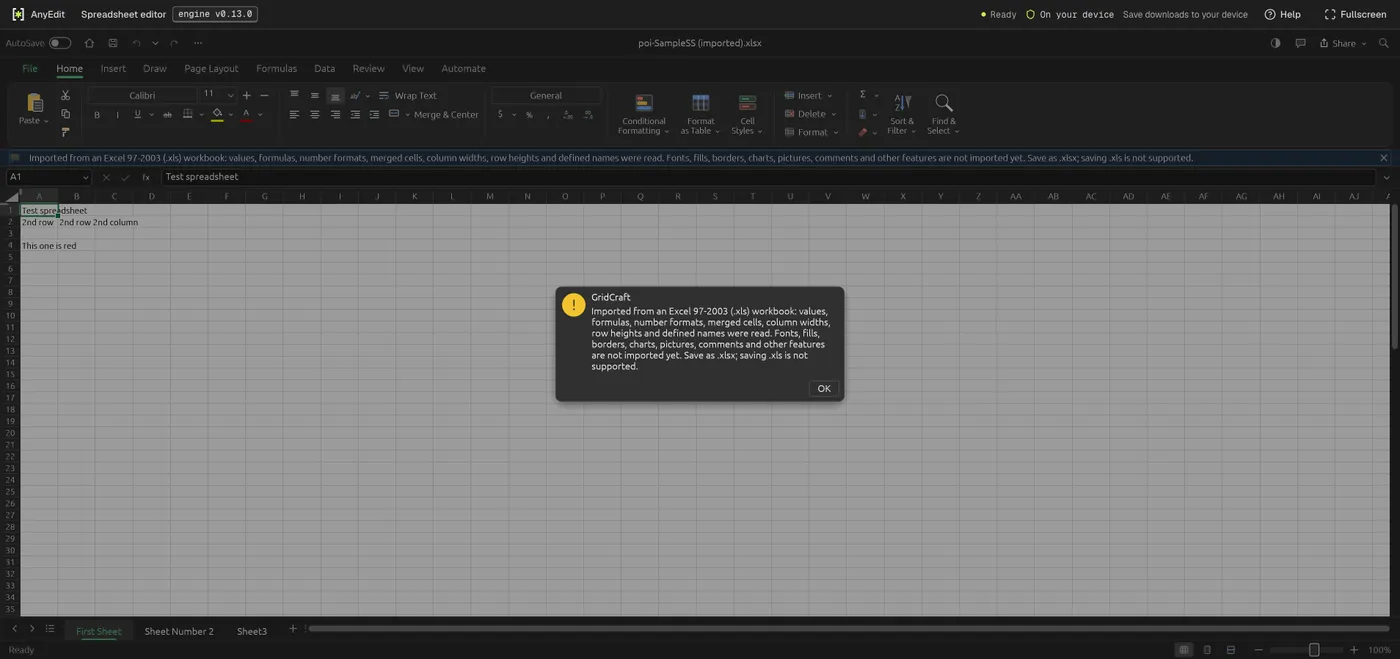
Our test file open in the spreadsheet editor on anyedit.app, 2026-11-03
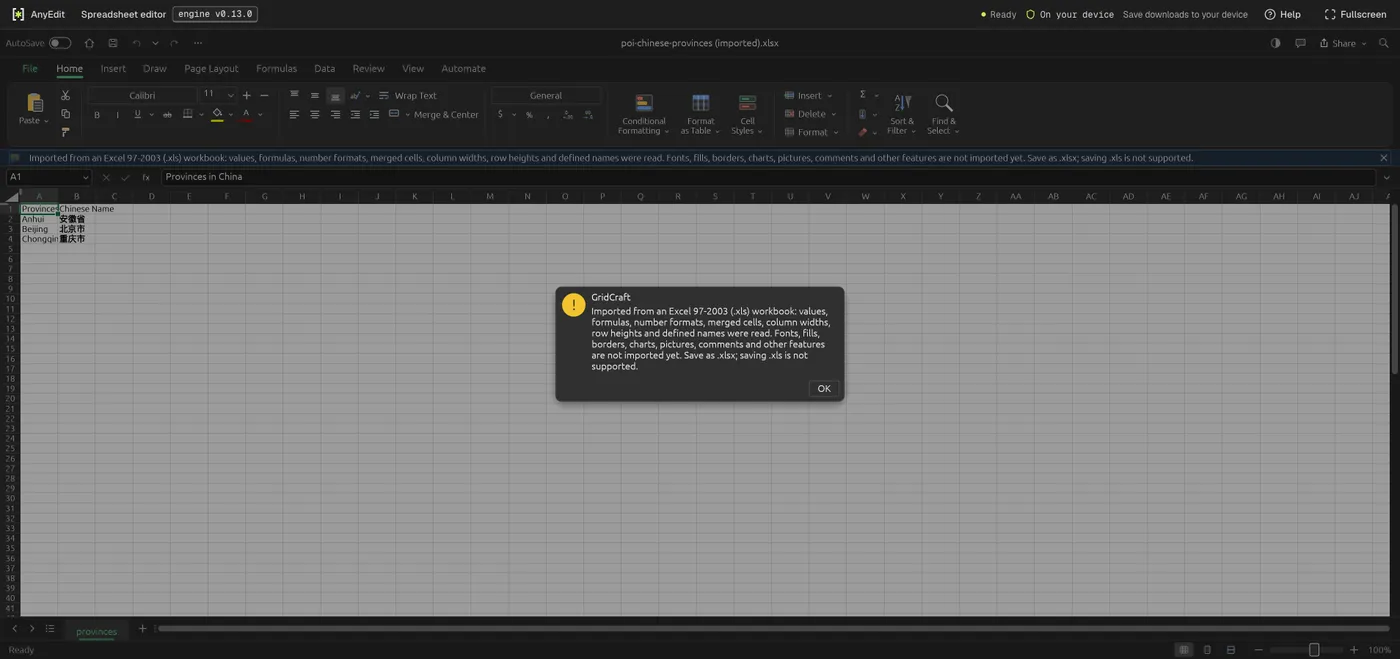
More from the same test, 2026-11-03
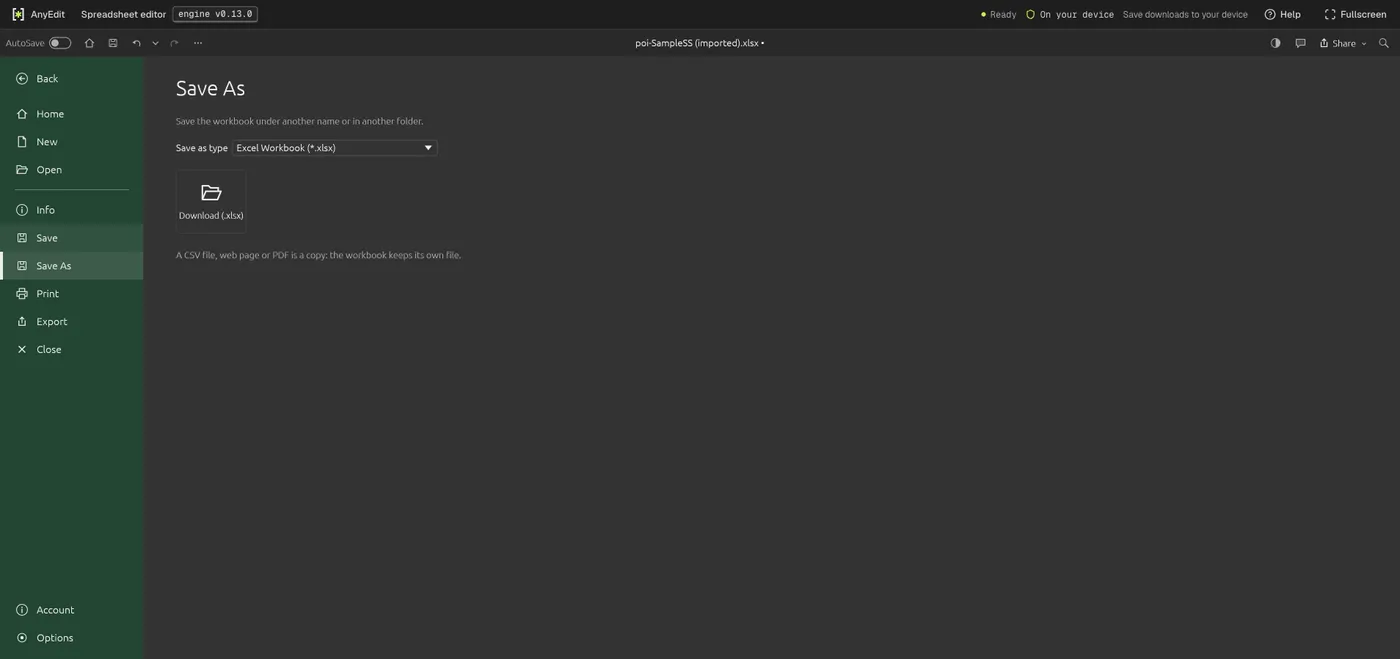
More from the same test, 2026-11-03