Open .ico files online
To edit a .ico file in your browser, press Open editor on the photo editor, then choose File > Open and pick your icon. On 2026-10-31 we opened an icon made with Python Pillow that holds four sizes (16, 32, 48 and 256 px). It opened as one 256 x 256 layer with the transparent hole showing as a checkerboard, so the editor shows the largest size only. We drew a brush stroke and exported with File > Export > Export As > ICO. The result was a valid .ico, but it holds one size only: 256 x 256 PNG data with the transparent area intact. The 16, 32 and 48 px images were not carried over. Setting Width and Height to 48 in the export dialog gave a 48 x 48 icon, so a smaller size can be exported on its own, but we found no way to write several sizes into one .ico. We did not test other icon types such as old BMP-based icons, .cur cursors, or very large images. Nothing is uploaded and there is no sign-up.
Best on a desktop browser. This editor has desktop menus and shortcuts.
Can I open it?
| Check | Result | Notes |
|---|---|---|
| Listed by the engine | Listed in docs | ICO is listed among the flat image formats the photo editor handles. The project does not say whether it reads or writes it, or how it treats files with several sizes. |
| Opened a multi-size .ico | Partial | A .ico with four images (16, 32, 48 and 256 px, PNG data, with a transparent hole, made with Pillow) opened as a single 256 x 256 layer called Layer 0. The transparent hole showed as a checkerboard. Only the largest size was loaded; we found no way to see the smaller ones. |
| Edited it | Works | We drew a black brush stroke over the orange bar. It showed on the canvas. |
| Exported as .ico | Partial | File > Export > Export As > ICO (with Transparency ticked) wrote a valid 8 KB .ico. The file command reads it as one 256 x 256 icon, 32-bit with alpha, and Pillow and macOS sips read it too. The 3,982 transparent pixels were exactly the same as in the source and the stroke was black. It held one size only, not the original four. |
| Exported a smaller size | Works | Setting Width to 48 in the export dialog (the height followed) gave a valid .ico with a single 48 x 48 image. |
| Writing several sizes into one .ico | Not supported | The ICO export dialog has the same controls as the other formats (Transparency, Metadata, Color Profile, Image Size) and no option for several icon sizes. Our exports always held one image. |
| Other icon types (cursors, older BMP-based icons) | Not tested yet | Not tested for this format. |
| Phone screen (390 px wide) | Not tested yet | Not tested for this format. |
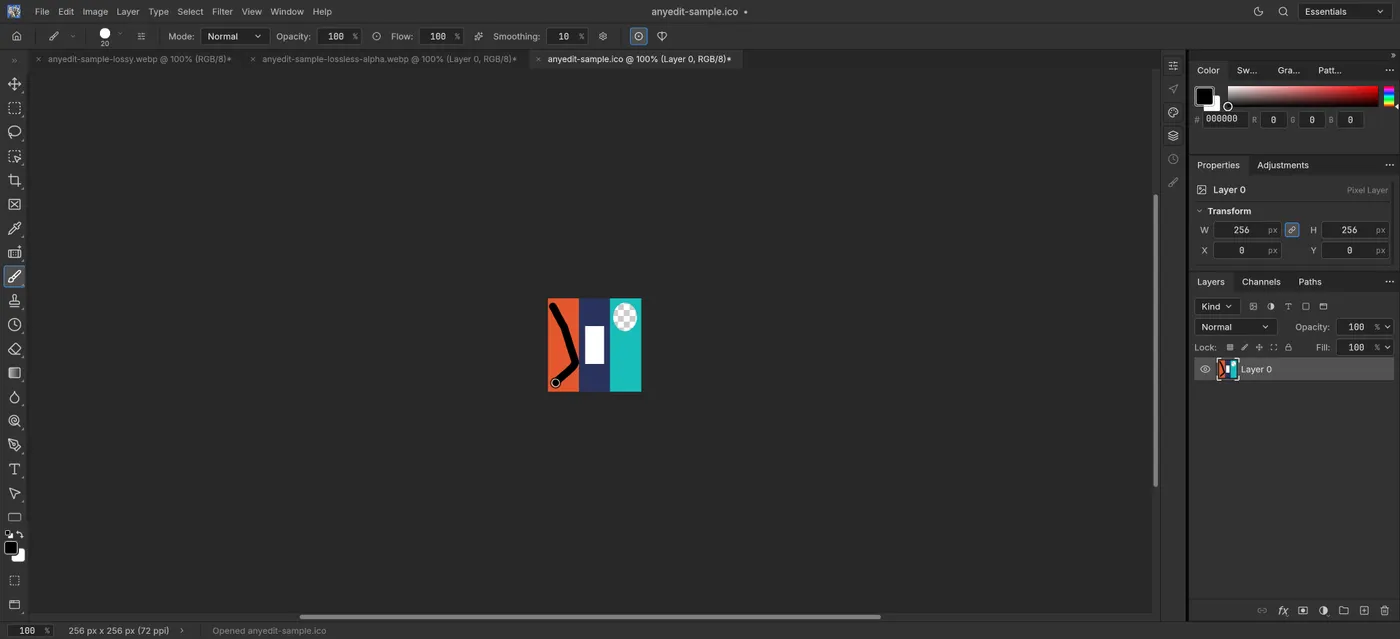
Our test file open in the photo editor on anyedit.app, 2026-10-31