Open .edl files online
An .edl file is a plain-text list of cuts, not a video. To open one in your browser, press Open editor on the video editor and drop the .edl onto the editor window: in our test it built a new sequence with one timeline clip per EDL event. On 2026-11-03 we tested a CMX 3600 EDL we wrote by hand (2 video events and 1 audio event, all pointing at a 4 second clip) in FilmCraft 0.14.0 on anyedit.app. It imported as a new 4 second sequence with two clips on V1 and one on A1, and the timecode started at 01:00:00:00 as in the file. Because the EDL only names the source clip, the editor shows MEDIA SET OFFLINE because the video is not in the file; the cut points are there, the picture is not. It offers Link Media, which we did not test. We deleted the second video clip, then used File > Export > EDL, which downloaded a new .edl at once, with no dialog. The export held the remaining video and audio events, renumbered 001 and 002, with the same timecodes, plus a SOURCE FILE comment line. OpenTimelineIO read it back as one video clip of 0 to 2 s and one audio clip of 0 to 4 s. We did not test an EDL exported from Premiere, Resolve or Avid, so multiple tracks, transitions, speed changes and drop-frame timecode are untested. Nothing is uploaded and there is no sign-up.
Best on a desktop browser. This editor has desktop menus and shortcuts.
Can I open it?
| Check | Result | Notes |
|---|---|---|
| Listed by the engine | Listed in docs | The video editor README lists CMX 3600 EDL among the timeline formats it exchanges, alongside Final Cut Pro 7 XML (xmeml), OpenTimelineIO and AAF. |
| Imported an .edl file | Works | anyedit-made.edl (hand-written CMX 3600, 383 bytes: events 001 and 002 on V, event 003 on A, all from anyedit-sample.mp4, non-drop frame) imported as a new sequence named ANYEDIT TEST, 4 seconds long, with 2 clips on V1 and 1 clip on A1 at 01:00:00:00. |
| Media in the project | Partial | The clips show MEDIA SET OFFLINE because an EDL does not contain video. The project panel lists the source as Offline until you relink it; the cuts are intact. |
| Edited the sequence | Works | We deleted the second video clip on V1. The audio clip stayed. |
| Exported an .edl | Works | File > Export > EDL... downloaded ANYEDIT TEST.edl (352 bytes) with no dialog. It held event 001 on V (00:00:00:00 to 00:00:02:00 at 01:00:00:00) and event 002 on A (4 s); the old second video event was gone and the events were renumbered. The editor also adds a SOURCE FILE comment line with its own path. |
| Checked the exported file | Works | OpenTimelineIO 0.18.1 with the CMX 3600 adapter read it: one video clip 0 to 2 s and one audio clip 0 to 4 s. The original file read as two video clips. |
| EDLs from Premiere, Resolve or Avid, with several tracks, transitions, speed changes or drop-frame timecode | Not tested yet | We only tried our own small file. Real exports from editing software were not tested. |
| Phone screen (390 px wide) | Not tested yet | Not tested for this format. |
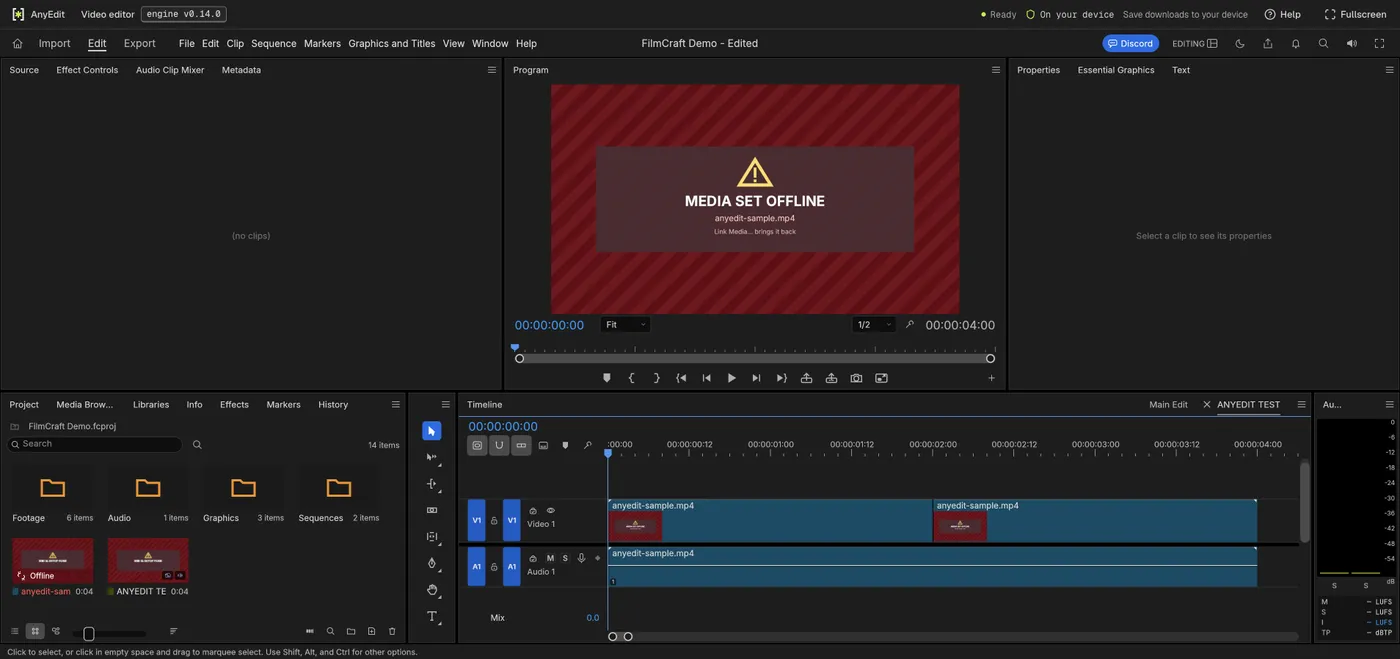
Our test file open in the video editor on anyedit.app, 2026-11-03
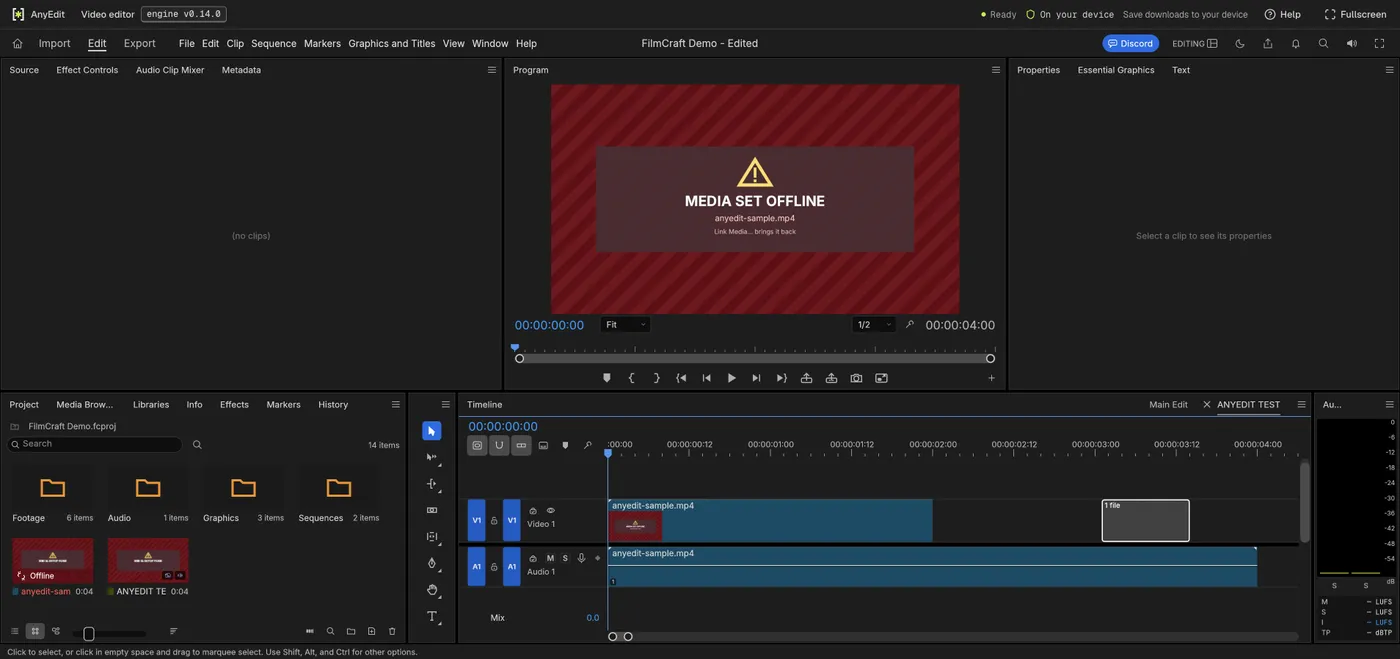
More from the same test, 2026-11-03
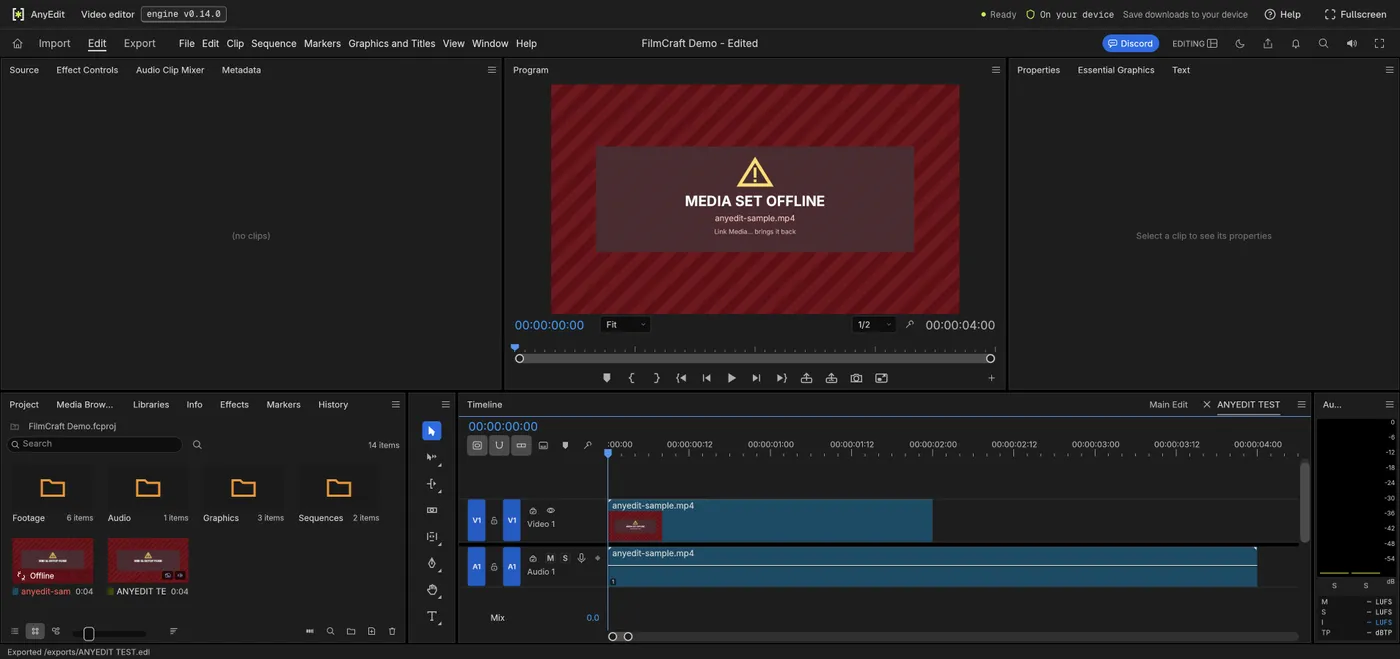
More from the same test, 2026-11-03