Open .mpg files online
An .mpg file is an MPEG program stream, the older container used for MPEG-1 and MPEG-2 video, including DVD-era camcorder clips and video from old digital cameras. To open one in your browser, press Open editor on the video editor and drop the file onto the editor window. It is a video editor, not a plain player: the clip lands in the project panel, you can make a sequence from it, cut it and export H.264 MP4. On 2026-11-03 we tested one MPG file in FilmCraft 0.14.0 on anyedit.app: a 4 second, 640x360, 24 fps MPEG-2 video with mono MP2 audio that we made with ffmpeg. It imported with a thumbnail and a 0:04 length. We used New Sequence From Clip, cut at 2 seconds, deleted the right half and exported with the default preset. The export was an H.264 MP4: ffprobe read 640x360 at 24 fps, 48 frames, with AAC audio at the same average level as the MP2 source. Output is MP4 only; the editor cannot write an .mpg. Caveat: our file was made with ffmpeg, so we did not test a real DVD rip or camcorder MPG. Nothing is uploaded and there is no sign-up.
Best on a desktop browser. This editor has desktop menus and shortcuts.
Can I open it?
| Check | Result | Notes |
|---|---|---|
| Listed by the engine | Listed in docs | The video editor README lists MPEG-2 and MPEG-1 video, AC-3 and MP2 audio, and MPEG program streams (DVD) as imported. It does not name the .mpg extension. Export is MP4, MOV, ProRes, DNxHR and similar, not MPEG-2. |
| Opened an .mpg file | Works | anyedit-sample.mpg (our ffmpeg-made MPEG program stream, MPEG-2 video 640x360 at 24 fps plus mono MP2 audio at 44.1 kHz, 4 s, 449 KB) was dropped onto the editor. It appeared in the project panel with a colour-bar thumbnail and a 0:04 length. |
| Cut on the timeline | Works | We made a sequence with New Sequence From Clip, cut at 2:00 and deleted the right half, so the sequence was 2 seconds long. |
| Exported | Works | The Export page defaulted to H.264 MP4 with Match Source and AAC audio. We downloaded Sequence 08.mp4 (341 KB). There is no .mpg or MPEG-2 export format. |
| Checked the exported file | Works | ffprobe: H.264 640x360 at 24 fps, 48 frames, AAC 48 kHz stereo, 2.0 s. The average audio level (-21.1 dB) matched the MP2 source, and a frame compared at 1 s was close to the source frame. |
| Real DVD rip or camcorder MPG | Not tested yet | We had no real capture and only tried our own small file. |
| Phone screen (390 px wide) | Not tested yet | Not tested for this format. |
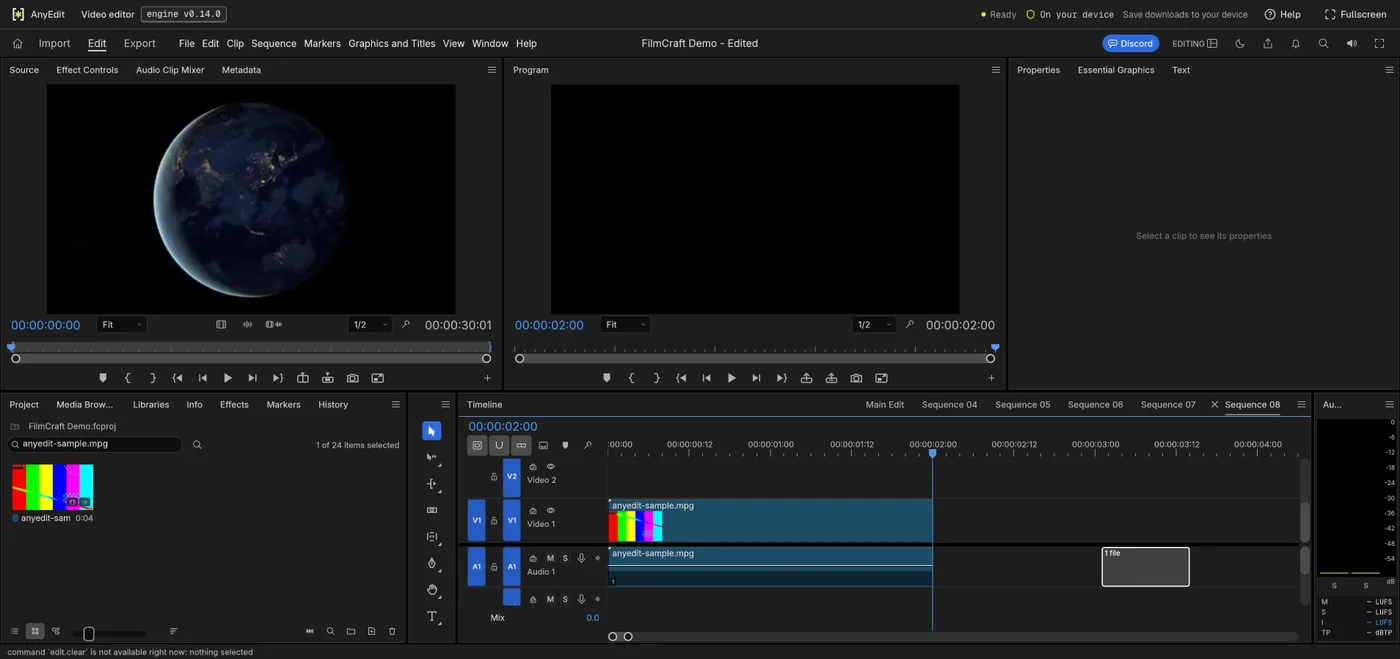
Our test file open in the video editor on anyedit.app, 2026-11-03
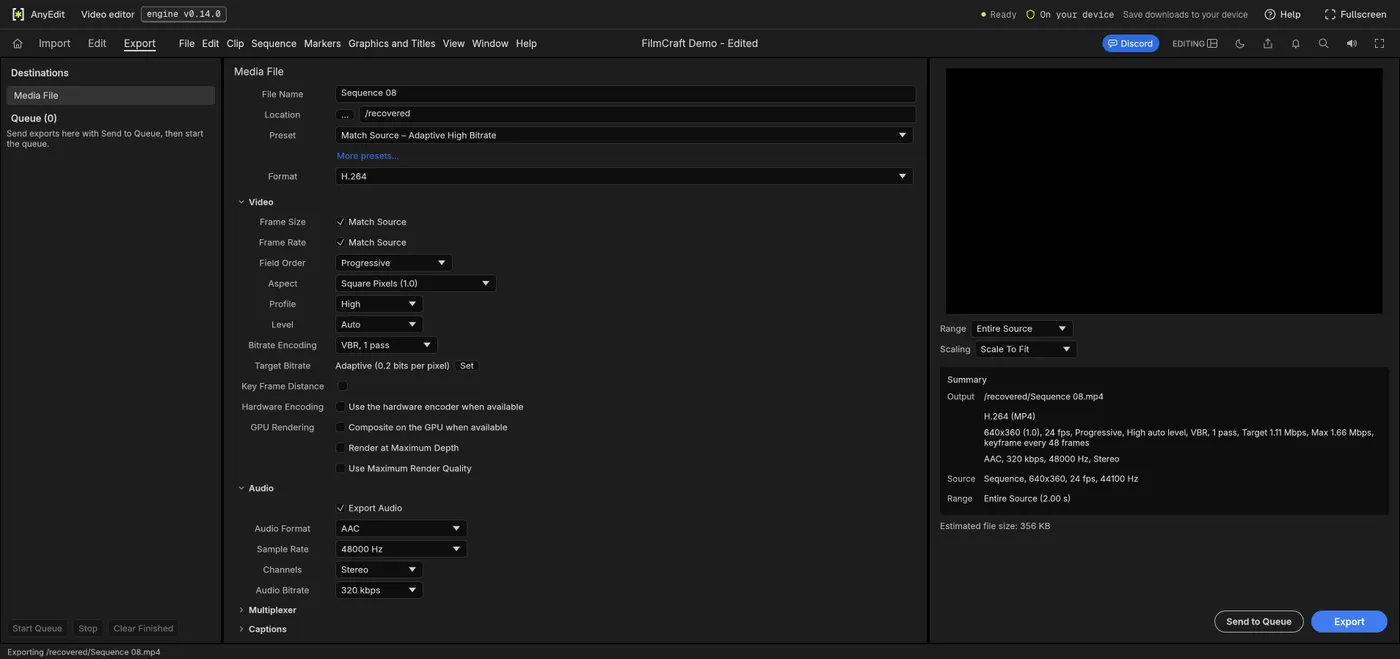
More from the same test, 2026-11-03